> ## Documentation Index
> Fetch the complete documentation index at: https://docs.rynopay.io/llms.txt
> Use this file to discover all available pages before exploring further.
# Bank Beneficiaries
> Add a bank account beneficiary for local or international payouts.
A bank beneficiary is a person or business whose bank account can be selected during a payout.
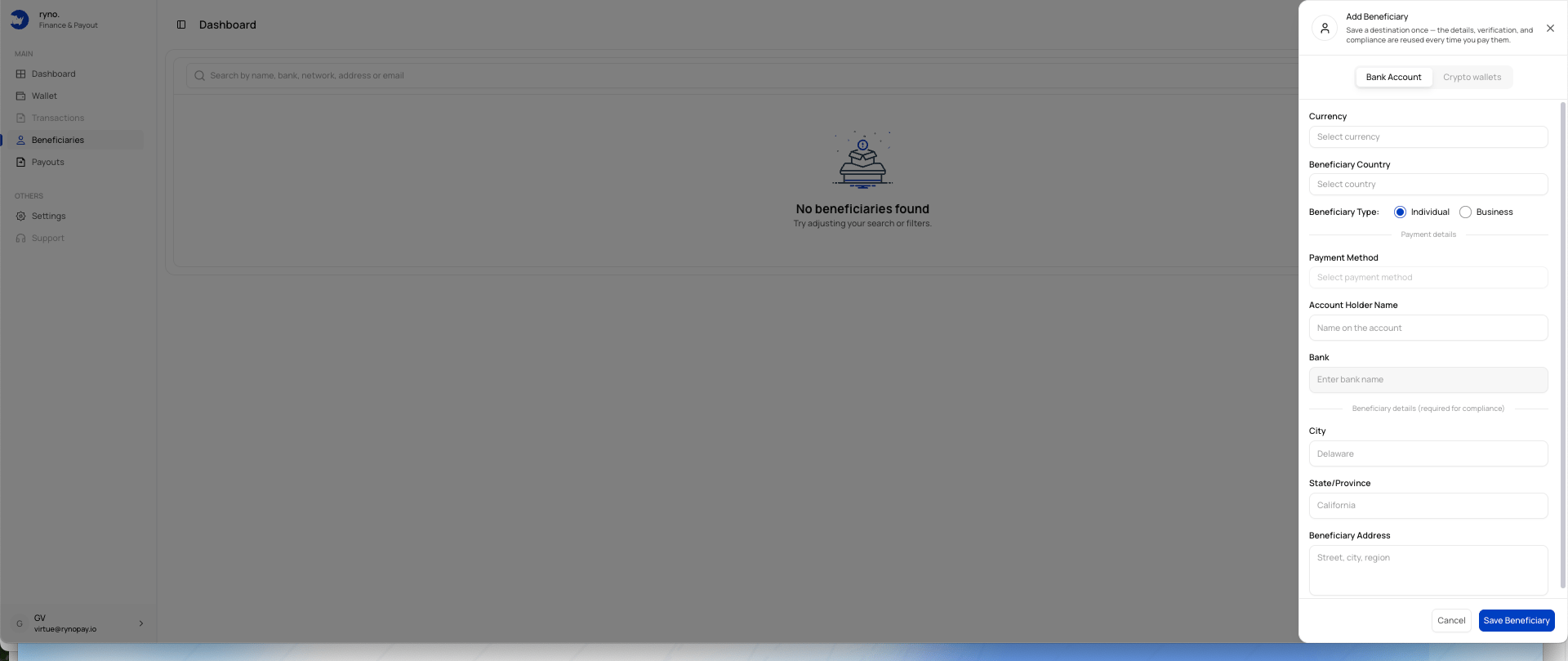 ## Bank beneficiary fields
The form may include:
| Field | Description |
| ------------------- | ---------------------------------------------------- |
| Currency | The payout currency. |
| Beneficiary Country | The country where the beneficiary is located. |
| Beneficiary Type | Individual or Business. |
| Payment Method | The supported payout method for the selected market. |
| Account Holder Name | The name shown on the bank account. |
| Bank | The beneficiary's bank. |
| City | The beneficiary's city. |
| State/Province | The beneficiary's state, region, or province. |
| Beneficiary Address | The beneficiary's complete address. |
Additional fields may appear after you select the currency, country, and payment method.
## Add a bank beneficiary
Open the Add Beneficiary panel and choose **Bank Account**.
Choose the currency you intend to use for payouts.
Choose the beneficiary's country.
Select **Individual** or **Business**.
Choose an available method for the selected currency and country.
Use the exact name registered on the bank account.
Choose the beneficiary's bank where available.
Enter the requested city, state or province, and address.
Review the information and select **Save Beneficiary**.
The account-holder name should match the bank's records. A mismatch may delay or prevent the payout.
## Currency and country dependency
Available fields and payment methods may change based on the selected:
* Currency
* Country
* Beneficiary type
* Payout route
## Related guides
## Bank beneficiary fields
The form may include:
| Field | Description |
| ------------------- | ---------------------------------------------------- |
| Currency | The payout currency. |
| Beneficiary Country | The country where the beneficiary is located. |
| Beneficiary Type | Individual or Business. |
| Payment Method | The supported payout method for the selected market. |
| Account Holder Name | The name shown on the bank account. |
| Bank | The beneficiary's bank. |
| City | The beneficiary's city. |
| State/Province | The beneficiary's state, region, or province. |
| Beneficiary Address | The beneficiary's complete address. |
Additional fields may appear after you select the currency, country, and payment method.
## Add a bank beneficiary
Open the Add Beneficiary panel and choose **Bank Account**.
Choose the currency you intend to use for payouts.
Choose the beneficiary's country.
Select **Individual** or **Business**.
Choose an available method for the selected currency and country.
Use the exact name registered on the bank account.
Choose the beneficiary's bank where available.
Enter the requested city, state or province, and address.
Review the information and select **Save Beneficiary**.
The account-holder name should match the bank's records. A mismatch may delay or prevent the payout.
## Currency and country dependency
Available fields and payment methods may change based on the selected:
* Currency
* Country
* Beneficiary type
* Payout route
## Related guides