> ## Documentation Index
> Fetch the complete documentation index at: https://docs.rynopay.io/llms.txt
> Use this file to discover all available pages before exploring further.
# Wallets
> View currency wallets, balances, funding channels, account details, and wallet activity.
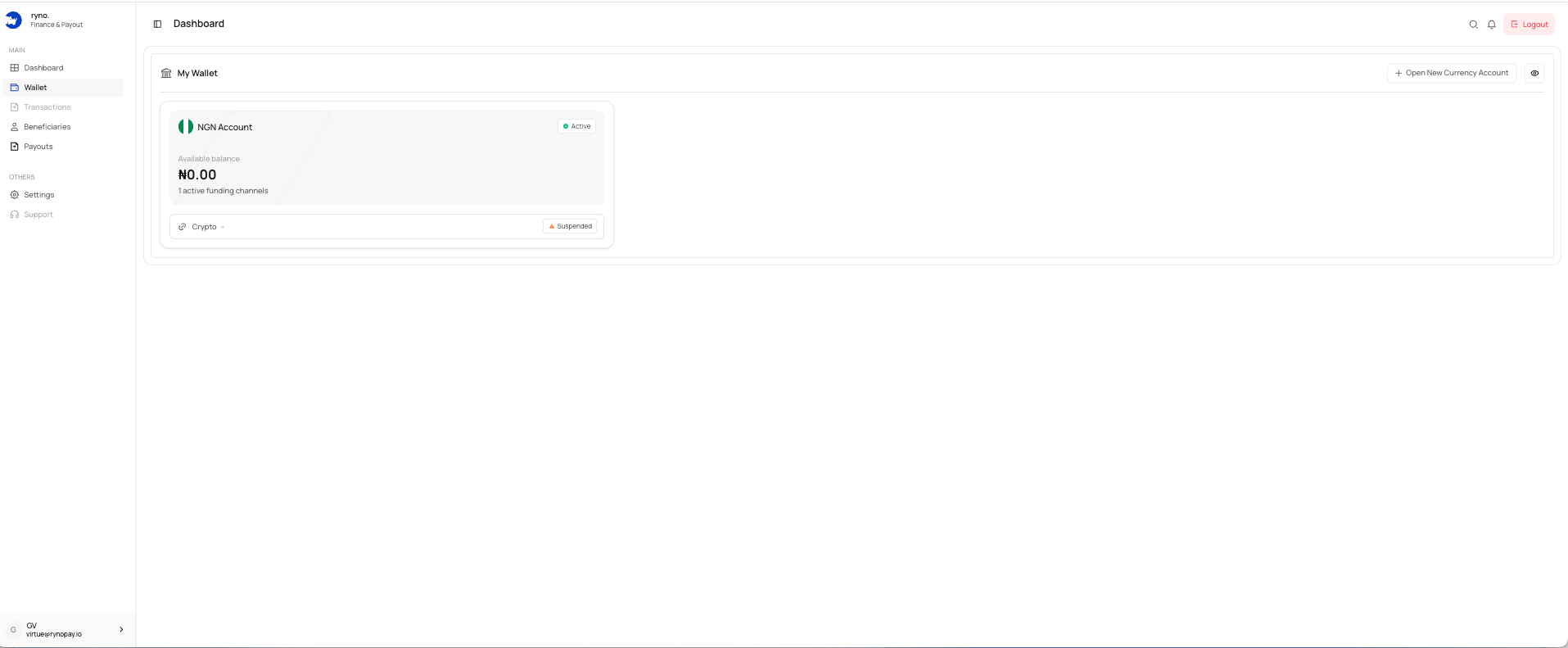
The **Wallets** section allows you to view and manage the currency wallets enabled for your business.
 ## What you can do
* View available and locked balances
* Check wallet and funding-channel status
* Open a new currency account
* View linked bank account details
* Fund a wallet
* Review and export wallet transactions
## Wallet card
| Item | Description |
| ----------------- | ----------------------------------------------- |
| Currency | The currency assigned to the wallet. |
| Available balance | Funds currently available for use. |
| Locked balance | Funds temporarily unavailable. |
| Wallet status | Shows whether the wallet is active. |
| Funding channels | Shows connected funding methods. |
| Channel status | Shows whether a channel is active or suspended. |
A wallet and its funding channel can have different statuses.
## Open a new currency account
Select **Open New Currency Account** to request another supported wallet.
## Related guides
## What you can do
* View available and locked balances
* Check wallet and funding-channel status
* Open a new currency account
* View linked bank account details
* Fund a wallet
* Review and export wallet transactions
## Wallet card
| Item | Description |
| ----------------- | ----------------------------------------------- |
| Currency | The currency assigned to the wallet. |
| Available balance | Funds currently available for use. |
| Locked balance | Funds temporarily unavailable. |
| Wallet status | Shows whether the wallet is active. |
| Funding channels | Shows connected funding methods. |
| Channel status | Shows whether a channel is active or suspended. |
A wallet and its funding channel can have different statuses.
## Open a new currency account
Select **Open New Currency Account** to request another supported wallet.
## Related guides