

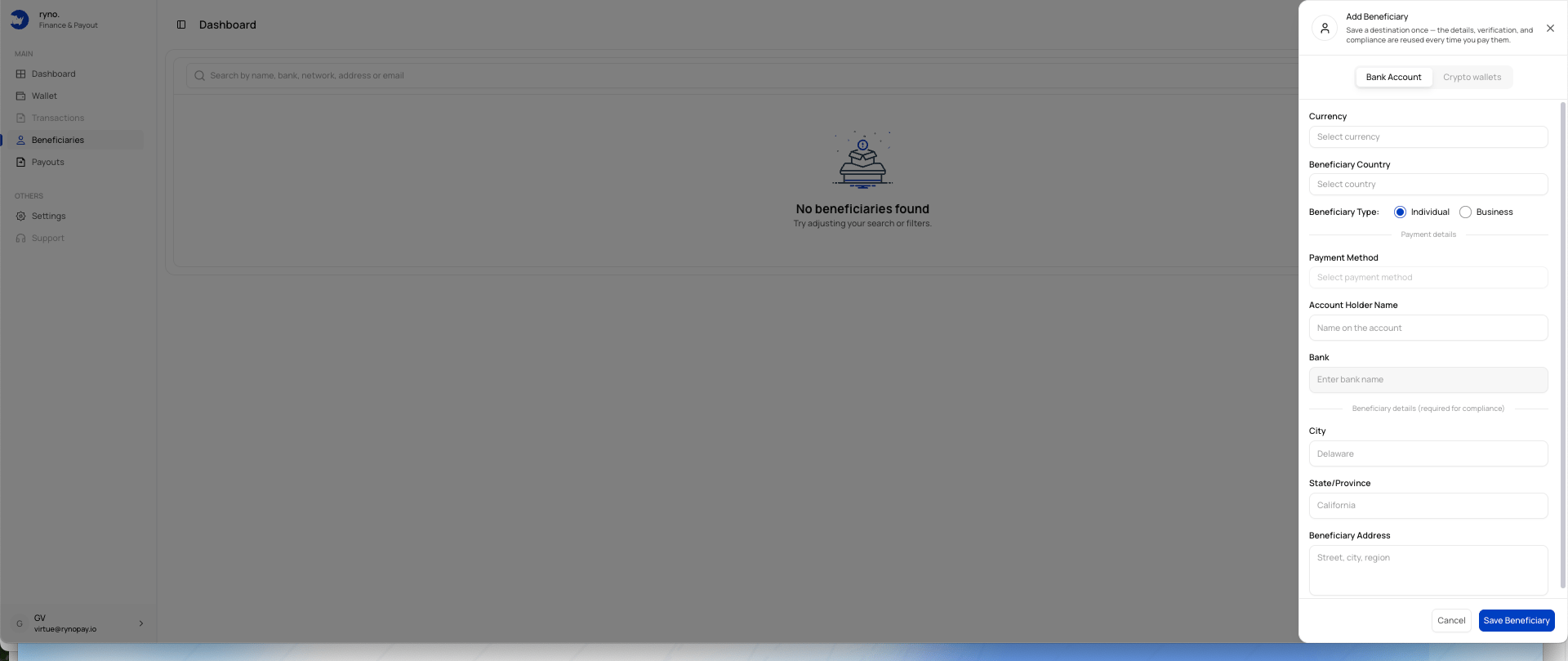
Bank beneficiary fields
The form may include:
Additional fields may appear after you select the currency, country, and payment method.
Add a bank beneficiary
1
Select Bank Account
Open the Add Beneficiary panel and choose Bank Account.
2
Select the currency
Choose the currency you intend to use for payouts.
3
Select the beneficiary country
Choose the beneficiary’s country.
4
Choose the beneficiary type
Select Individual or Business.
5
Select a payment method
Choose an available method for the selected currency and country.
6
Enter the account holder name
Use the exact name registered on the bank account.
7
Select or enter the bank
Choose the beneficiary’s bank where available.
8
Complete compliance details
Enter the requested city, state or province, and address.
9
Save the beneficiary
Review the information and select Save Beneficiary.
Currency and country dependency
Available fields and payment methods may change based on the selected:- Currency
- Country
- Beneficiary type
- Payout route